Jhon Sommer
Unreal developer | C++ | Blueprints
Sound of Survival
General
Disclaimer
In the winter semester of 2024/2025 the team decided to work once again on the games as part of the university’s project phase. I am currently doing my mandatory intership so I am unable to work on it.
So it is possible that the new player character varies to the one I worked on.
Steam link: coming soon…
Itch.io Link: https://grunt-revolution-studios.itch.io/sound-of-survival
Role

Work samples
GDD Specifications for the Player movement
The basics were taken from the UE5 First Person Actor. My task here was mostly to create the dash functionality.
Player Movement
The player moves freely on the map. The player must be able to navigate through the level as quickly as possible to find and destroy as many enemies as possible in time. He also has a dash and a jump. The dash allows the player to dodge attacks. Should the dash match the beat, the cooldown time will be refunded. The dash is always executed in the direction the player is facing. Using a jump combined with a dash, the player can quickly get to elevated levels or jump back and forth between bridges. The dash goes through enemies, so the player doesn’t get stuck.
•Running (WASD)
•Look around
•Jump (space bar)
•Dash (Shift) (Right Mouse button)
Dash
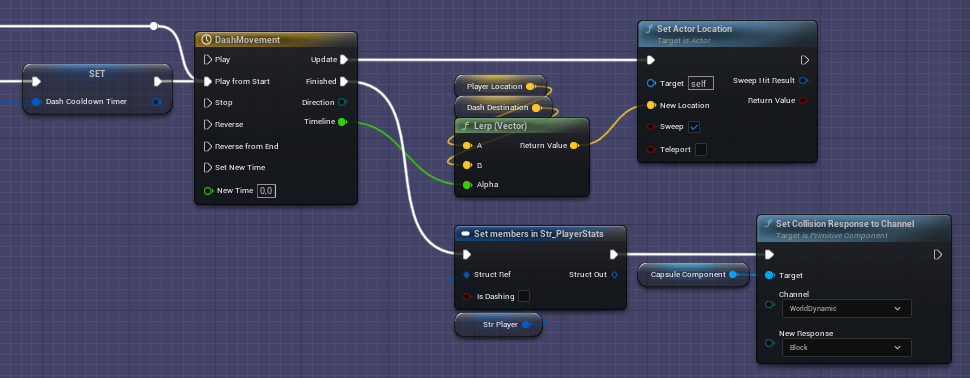
In the function I calculated the dash vector and instigate the dash event.
With a timeline and a lerp I changed the players location



GDD Specifications for the Weapon
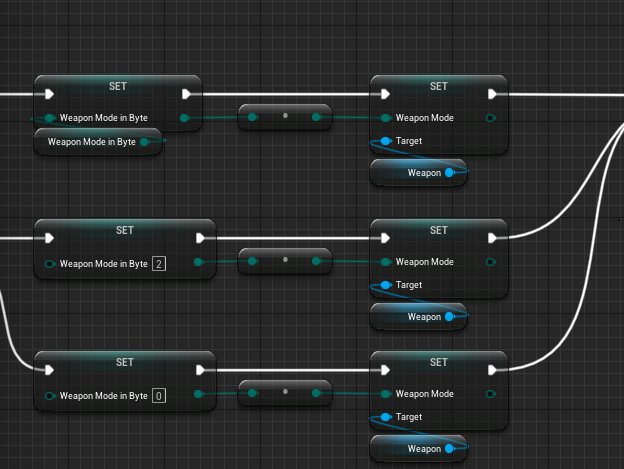
Allowing to change the weapon and therefore changing the fire rate of it as well as building up heat as you shoot were my tasks here.
Weapon
The player has a cybernetic arm that acts as a weapon. He can switch between 3 different weapons. The player can also switch between these modules during waves (short switching animation).
All weapon modes are unlocked from the start. You can change with 1,2,3 or using the mouse wheel.
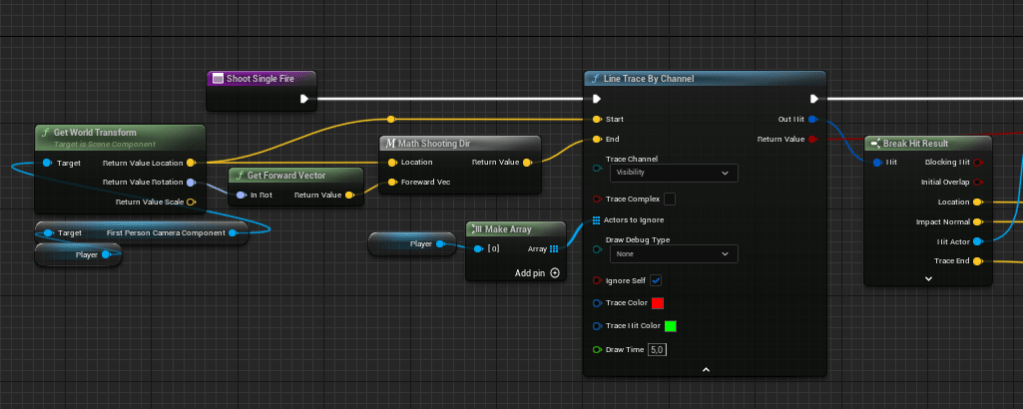
All weapons work with Hit Scan.
Weapons build up heat for each shot. This is visualized via a bar in the HUD. If the player doesn’t shoot, the heat slowly dissipates. If the heat bar is full, cooling down is triggered automatically. Different weapons produce different amounts of heat per shot. Additionally, a shot generates much more heat if it was not hit on the beat.
Weapon modules
Normal: Fires a single shot. The firing rate is adjusted so that the player can hit every beat. The damage per shot is mediocre and the range and accuracy is good.
Fast: Fires a volley of 4 shots. The firing rate is high, allowing the player to fire shots even between beats. The individual shots cause little damage and spray over long distances. The weapon is best suited for medium distances, when most of the shots in the volley hit and the beat can be fired consistently. The damage from 3 shots is approximately the same as the damage of normal shooting mode.
Heavy: Has a very slow rate of fire, requiring the player to skip a beat to keep time. All shots are distributed into a wide cone and together cause a lot of damage. The weapon causes little damage at long range but is very effective in close combat.
Changing weapon mode
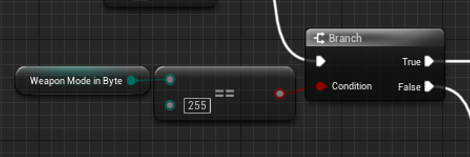
Because of the characteristic of being a unsigned byte with a wrap around feature, checking if the byte has a value of 255 translate here to cheking if the index is smaler then 0.

Shooting
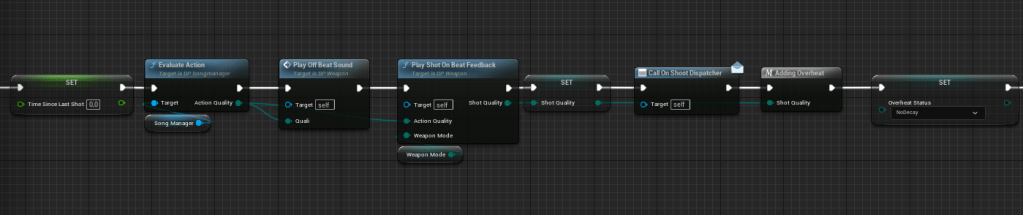
If the player is able to shoot the time is being tracked which is importend for the correct start of reducing the Overheat level.
When the player gathers a certain amount of Overheat there is some visual feedback for the player.
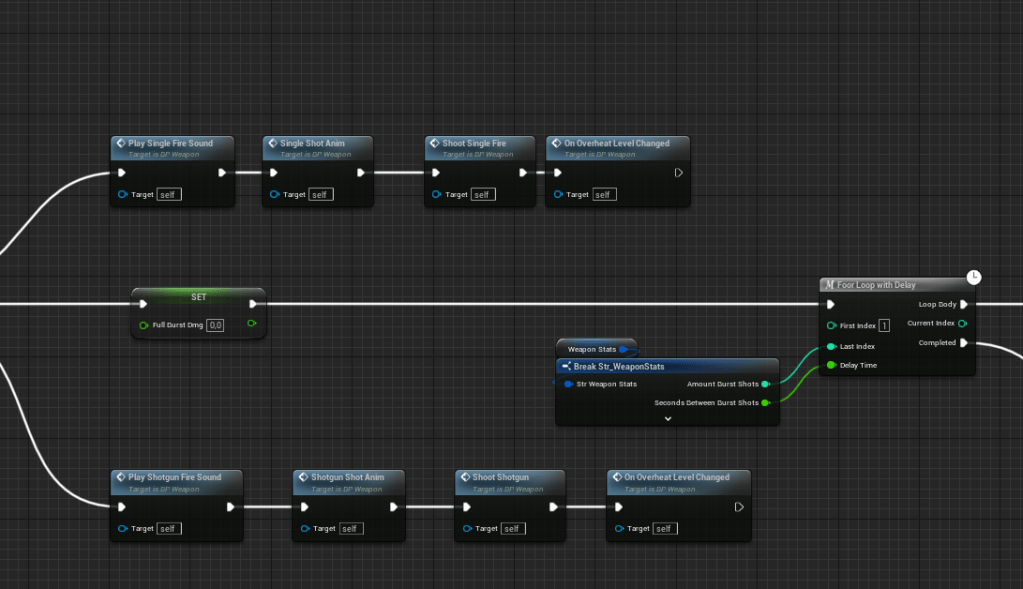
Depending on which mode the weapon is, a different shot is being executed. At last every shot generates Overheat.
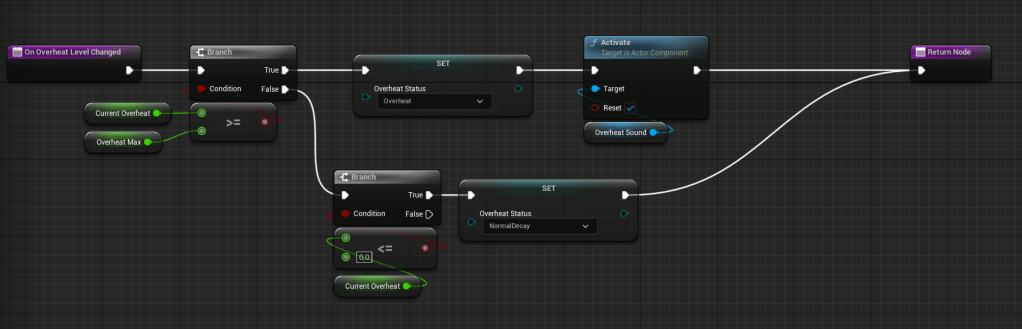
With a simple check it is determinded in which Overheat status the weapon is and therefore how fast the Overheat level should decrease.


Single Fire
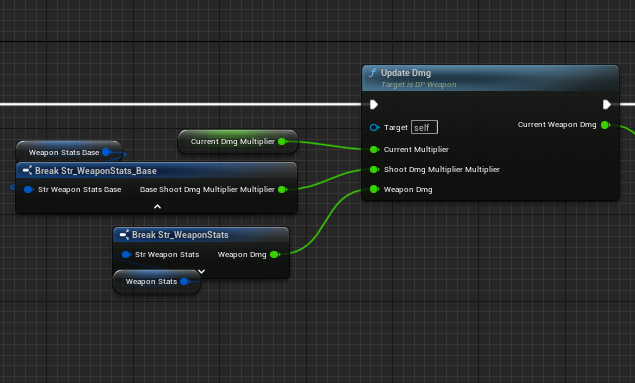
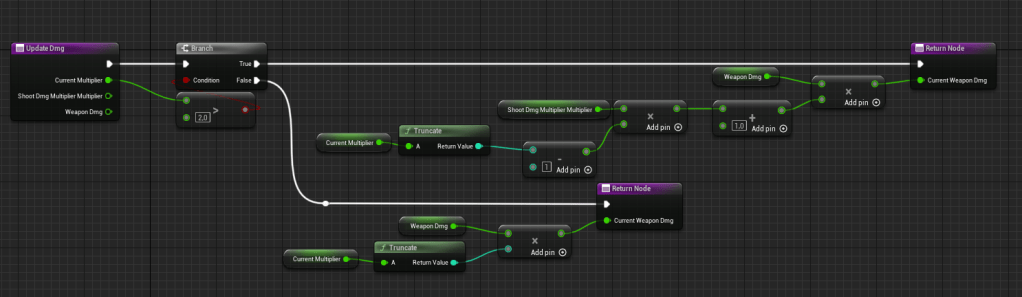
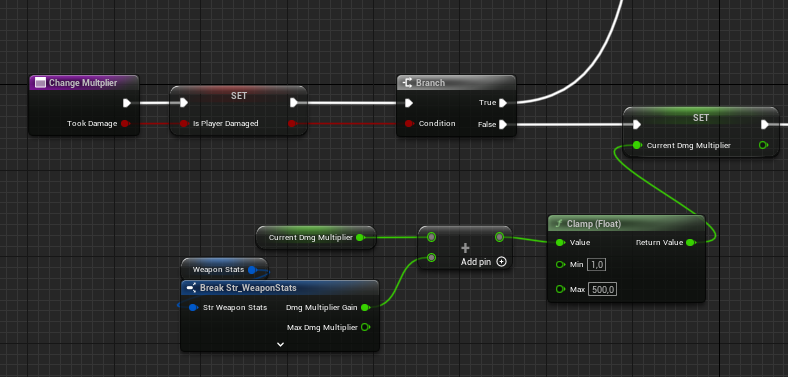
Depending on how well the player shoots on beat he can gain a multiplier. If the multiplier is greater the 2 the damage of the weapon is calculated new (1+(ShootDmgMultiplierMultiplier * (CurrentMultiplier – 1))).
The time since the last hit was on beat is tracked so that it is possible to correctly time when the Multiplier should start to decline.
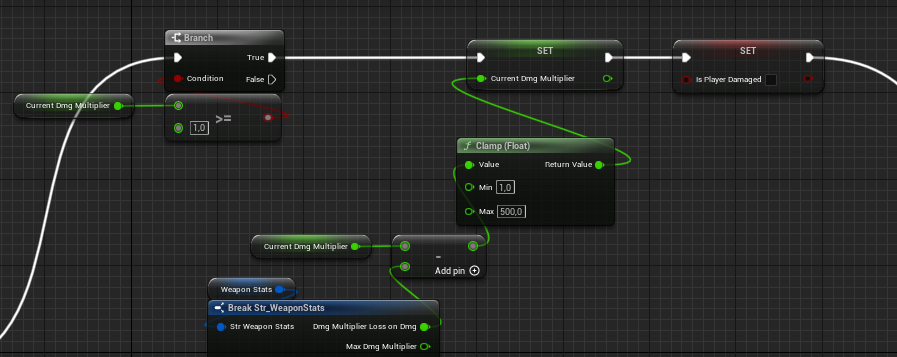
To punish the player if he gets hit by the enemies, it is implemented that he can loose his multiplier points.




 Jhon Sommer